From the cable in the wall to the software at the door
Moderoot is a Gaborone ICT contractor. We design, install and support the systems a Botswana office actually runs on: structured cabling, IP PABX and VoIP phone systems, call centres, CRM, and Ikwadise, the visitor and attendance software we built and host ourselves.
- Key
- Backbone
- Branch run
- Selected
- Tap a callout to open its schedule entry.
- Drag the drawing sideways to see all of it.
- Arrangement shown is illustrative, not a real client site.
What we install and support
SIX ENTRIES · KEYED TO PLAN 01
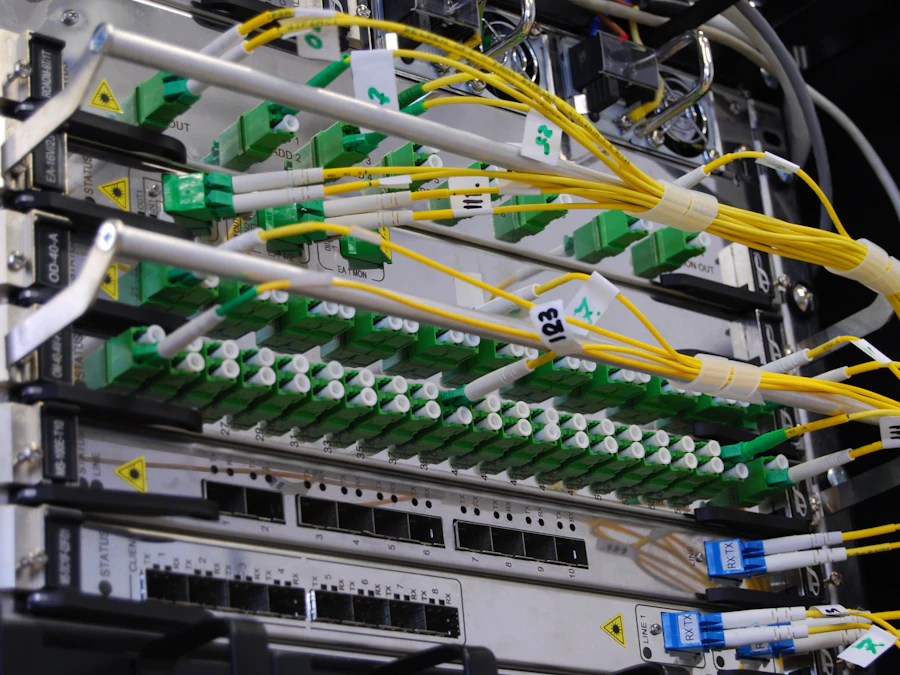
01 Structured cabling Copper and fibre, containment, racks and patch panels, labelled to a schedule you keep.
Cat6 and Cat6A copper, fibre backbone between floors or buildings, trunking and tray, cabinets, patch panels and outlets. Every link tested, every port labelled at both ends, and the labels written down.
The difference shows up two years later, when someone needs to know which port feeds the boardroom and can read the answer off the panel instead of tracing a cable by hand.
- Scope
- Copper · fibre · containment · racks
- Handover
- Labelled panel + as-built schedule
- Testing
- Every link certified before sign-off
- Plan reference
- Callout 01 — backbone from rack
02 PABX & business telephony IP PABX and VoIP phone systems: extensions, auto-attendant, hunt groups, voicemail and recording.
We design, install and support IP PABX systems: numbered extensions, an auto-attendant that answers the way you want it to, hunt groups so calls stop dying on one desk, voicemail, and call recording where the business needs it.
SIP trunks or the lines you already have. Desk handsets and softphones on laptops sit on the same dial plan, so moving desks (or moving office) does not mean rebuilding the phone system.
- System
- IP PABX, on-site or hosted
- Trunks
- SIP or existing analogue lines
- Endpoints
- Desk handsets + softphones
- Plan reference
- Callout 02 — handsets at desks
- Detail
- Sheet 02.2 · PABX & VoIP

03 Contact centres Call centre queues, routing, agent states, recording, and reporting on what the queue did today.
Inbound and outbound contact centre setup: call queues and routing rules, agent login and states, wallboards for the floor, and recording where you are required to keep it.
Reporting is the part most setups get wrong. You should be able to see what the queue is doing right now: waiting, abandoned, handled. Not only what it did last month in a report nobody opens.
- Direction
- Inbound + outbound
- Routing
- Queues, skills, overflow
- Reporting
- Live wallboard + historic
- Plan reference
- Callout 03 — agent pods

04 CRM setup & integration The phone system and the customer record on speaking terms: screen-pop, click-to-dial, logged calls.
CRM deployment, configuration and the integrations that make it worth having: the customer record opening on an inbound call, click-to-dial from the record, and call outcomes written back to the contact automatically instead of from memory at five o'clock.
We also do the unglamorous half: getting customer data out of the spreadsheets and mailboxes it is currently spread across, de-duplicated, and into one place.
- Work
- Deploy · configure · migrate
- Integration
- Telephony, mail, existing systems
- Data
- Migration, de-duplication, cleanup
- Plan reference
- Callout 04 — workstations

05 Telecoms cost reduction An audit of the bill against the call records. Idle lines, wrong tariffs, expensive routing.
Most telecoms bills contain something nobody is using. We read the invoice line by line against the actual call records and look for the usual culprits: lines still billing for an office you left, tariffs that no longer match how you call, and traffic routed the expensive way because it was set up that way once.
You get the findings written down: what is being charged, what is being used, and what the gap is worth per month.
- Inputs
- Invoices + call detail records
- Looking for
- Idle lines · tariffs · routing
- Output
- Written findings, per month
- Plan reference
- Callout 05 — incoming lines

06 Ikwadise Our own visitor management and employee attendance software. Sheet 04.
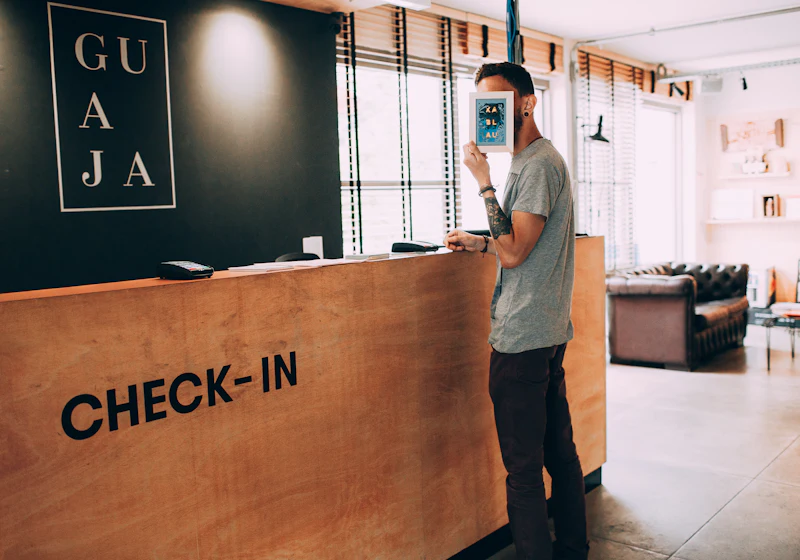
Visitors sign in on a tablet at reception; employees clock in and out by QR code, NFC tag or PIN. We designed it, we host it on our own hardware, and we support it.
It is also the shortest honest answer to whether we can build and run a system end to end.
- Modules
- Visitor sign-in · attendance · admin
- Hosting
- Moderoot-owned hardware, Botswana
- Detail
- Sheet 02.6 · Ikwadise
- Plan reference
- Callout 06 — reception counter
Normally this is three different vendors
The cabling contractor leaves. The phone people arrive and find the cabling wrong. The software people arrive and find the phone system closed. Each one is certain the problem is upstream.
We hold all four layers, so there is nobody upstream to blame.
- 01
In the ceiling
Tray, trunking, copper and fibre. The layer everything else sits on, and the one that is most expensive to get wrong.
- 02
On the desk
Extensions, handsets and softphones on one dial plan, so the phone follows the person rather than the desk.
- 03
Across the floor
Queues, agents and the reporting that says whether the floor is actually keeping up.
- 04
At the door
Ikwadise: who came in, who signed what, and who was at work, recorded rather than remembered.
Software we built, and still run
Ikwadise is our own visitor management and employee attendance system. Not a product we resell, but one we designed, host on hardware we own, and support ourselves.
- Visitors sign in at reception on a tablet, sign with a finger, and accept an NDA where you need one.
- Employees clock in and out with a QR code, an NFC tag or a PIN, whichever suits the site.
- Each company sees only itself. HR gets attendance without getting everything else.
- Licensing is enforced by the server, not by the honour system.
Built for a Gaborone law firm that needed a visitor book which could actually be audited. Now in production with a Botswana security company, and no longer specific to either industry.
It runs on a server we own here in Botswana rather than rented capacity abroad. In data-protection terms that makes your organisation the controller and Moderoot the processor. It also means your visitor records are not sitting in a data centre you cannot name.
Tell us what is not working
A phone bill you cannot explain, a queue that keeps dropping calls, a visitor book nobody can read, or an office that needs cabling before anyone moves in. Call, or send a message, whichever is easier.

- Company
- Mus J (Pty) Ltd t/a Moderoot
- Registration
- BW00006270451
- Address
- Plot 37148, Block 8, Gaborone
- Postal
- P O Box 502881, Gaborone, Botswana
- Telephone
- +267 76 890 659
- Web
- www.moderootsolutions.co.bw